 会飞的鱼
会飞的鱼
实战:
1.配置微信语言播放插件
登录微信小程序 到 设置 --- 第三方设置 --添加插件
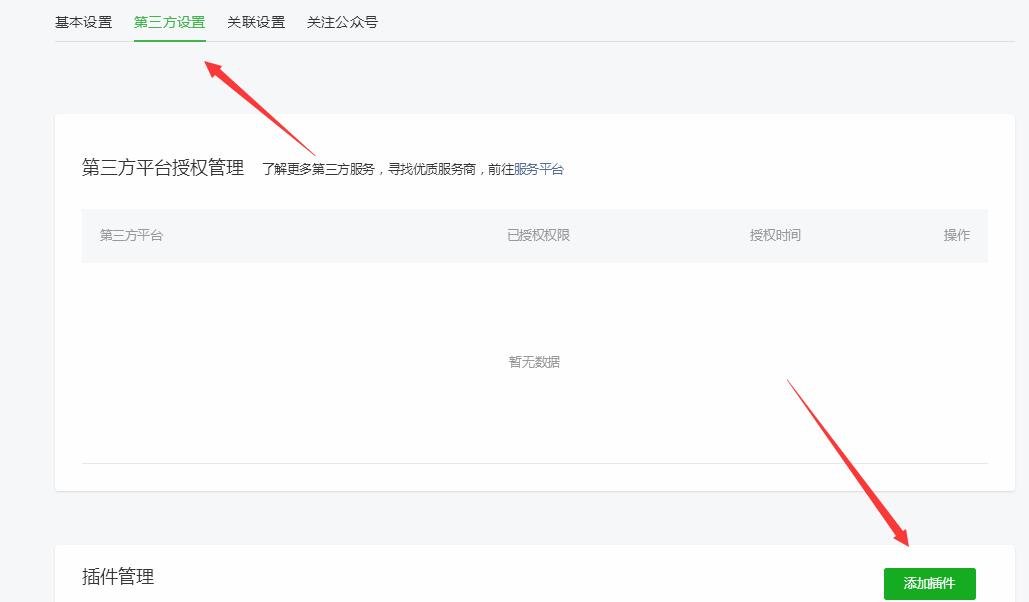
搜索:微信同声传译 点击添加
查看插件详情
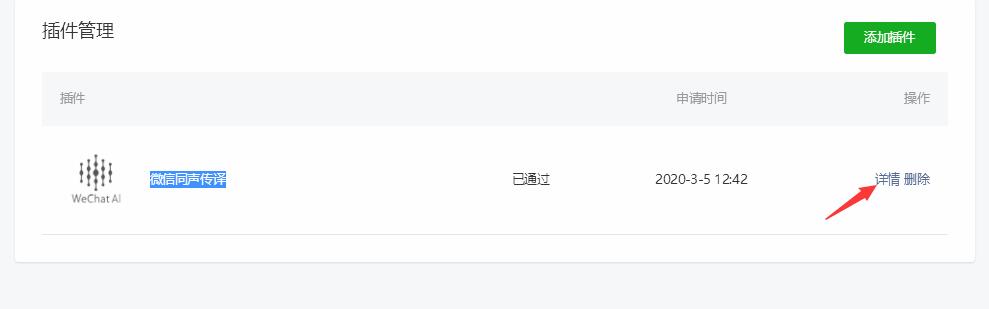
取到 appid 和版本号
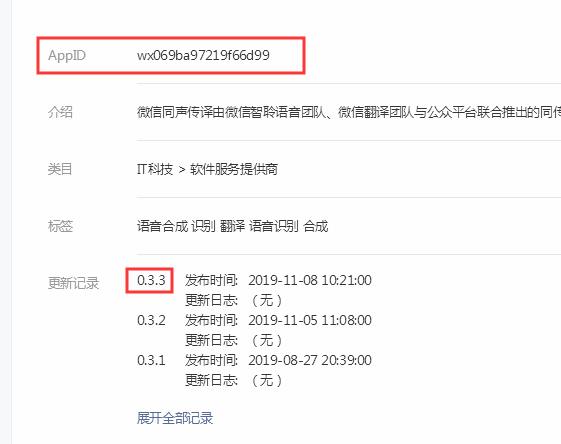
2.app.json加入
"plugins": {
    "WechatSI": {
      "version": "0.3.3",
      "provider": "wx069ba97219f66d99"
    }
  },
3.具体程序页面的js加入
var app = getApp()下面加入
const plugin = requirePlugin('WechatSI');
onReady: function () {
    this.innerAudioContext = wx.createInnerAudioContext();
    this.innerAudioContext.onError(function (res) {
      console.log(res);
      wx.showToast({
        title: '语音播放失败',
        icon: 'none',
      })
    })
  },
在
onLoad: function (options) {函数里面加入
添加播放函数
//语音播放
            console.log("t:" + res.data.message.message.content);
            var content = res.data.message.message.content;
            plugin.textToSpeech({
              lang: "zh_CN",
              tts: true,
              content: content,
              success: function (res) {
                console.log(res);
                console.log("succ tts", res.filename);
                that.setData({
                  src: res.filename
                })
                that.yuyinPlay();

              },
              fail: function (res) {
                console.log("fail tts", res)
              }
            });
添加播放函数
 //播放语音
  yuyinPlay: function (e) {
    if (this.data.src == '') {
      console.log(暂无语音);
      return;
    }
    this.innerAudioContext.src = this.data.src //设置音频地址
    this.innerAudioContext.play(); //播放音频
  },
备注
res.data.message.message.content为你的文章内容,可以通过api获取哦